
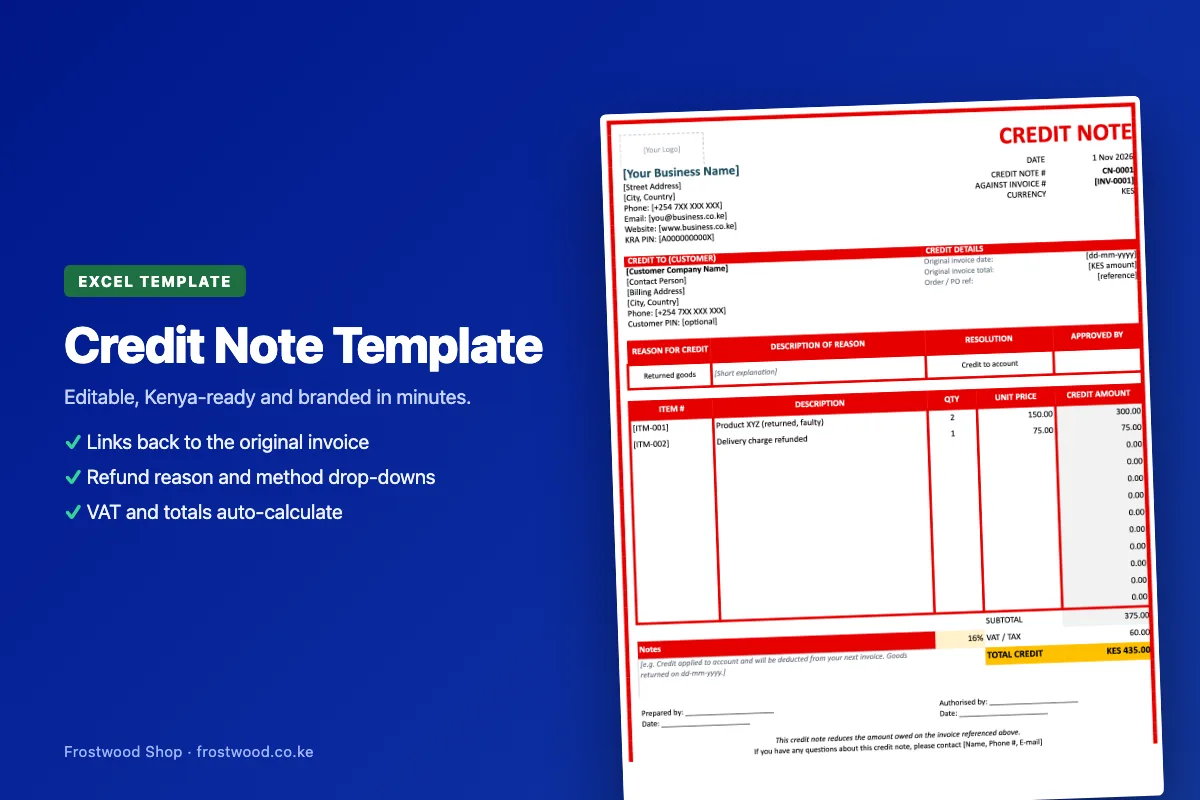
Credit Note Template (Excel)
Correct an invoice or record a refund the proper way.
New release
KES 500
About Credit Note Template (Excel)
A credit note template in Excel for reducing what a customer owes after returns, overcharges, discounts or cancelled work. Each credit note points back to the original invoice number, date and amount, and drop-downs record the reason (returned or damaged goods, pricing error, discount, cancelled order, service not delivered) and how it's settled: credit to the customer's account, an M-Pesa refund, a bank refund or an offset against the next invoice. List the items or amounts being credited and the subtotal, VAT and total credit calculate automatically. An Approved By field and prepared-by and authorised-by lines make sure credits are signed off before they go out. It prints on one A4 page or saves as a PDF.
Key Features
- Links to the original invoice number, date and amount
- Reason and resolution drop-downs (account credit, M-Pesa or bank refund)
- Subtotal, VAT and total credit calculate automatically
- Approval and authorisation lines
- Prints on one A4 page or saves as PDF
- Instant Excel download after M-Pesa payment
Requirements
- Microsoft Excel (Windows, Mac or the free Excel mobile app), Google Sheets or LibreOffice Calc
- Downloads as a single .xlsx file, with a How To Use sheet inside
Frequently Asked Questions
Customer Reviews
No reviews yet.
Only customers who bought this product can review it, using the link in their purchase email.